AT&T Building Nashville, TN (AKA "The BATMAN Building")
Published on January 1, 2023
By ronman101
👁️🗨️ 17
30
★
★
★
★
★
Rate it
Screenshots
Description
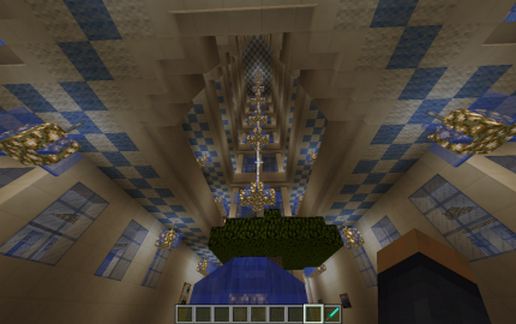
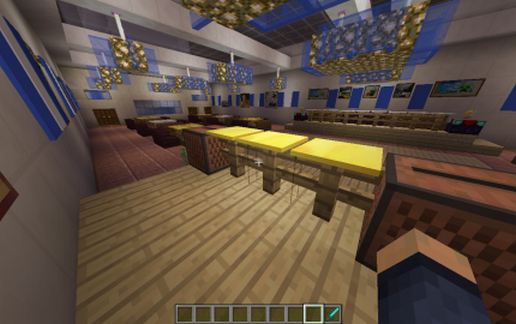
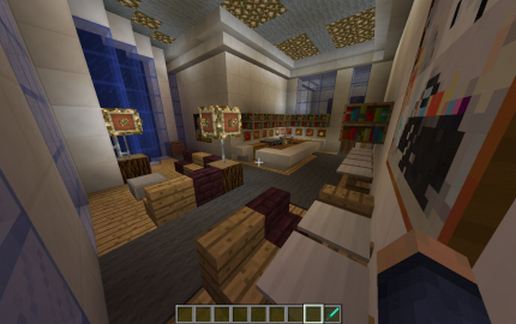
Currently the tallest building in the state of Tennessee (Also known as the Batman building to the locals), it soars high into the skyline of downtown Nashville. Decked out in all white with blue glass, the top of this building has a familiar logo, AT&T. Replicated using Quartz block and Blue stained glass, this building stands a full 10 stories in my Minecraft world. Unlike the original, I have decked this out for fun with: Two elevators, two sets of stairs, Apartments on floors 2 thru 6, Office spaces (unfurnished) on Floors 1, 7, 8, and 9, observation deck on floor 8, and a Wedding/Banquet hall on top floor, Including a head table, guest seating, dance floor and a stage for a DJ. If your favorite colors are blue and white, this building is for you (I put enough into it). Also on the first floor, I have added a few water fountains and a couple of water ponds, filled from the water flowing down the back of the elevators. As always, the entrance sits at a height of 68.
Download: AT&T Building Nashville, TN (AKA "The BATMAN Building") schematic for Minecraft
| Format | Size | Use with | |
|---|---|---|---|
.litematic at&t-building-nashville,-tn-(aka-"the-batman-building").litematic |
149.74 KB | Litematica (Java) — more Litematica schematics |
|
.schem at&t-building-nashville,-tn-(aka-"the-batman-building").schem |
34.04 KB | WorldEdit / FAWE |
|
.schematic at&t-building-nashville,-tn-(aka-"the-batman-building").schematic |
110.21 KB | Legacy / online installer |
|
| Install this build directly on your Minecraft map |
|
||
Auto-converted from the original format; container contents (chests, signs) may be missing.
📘 How to use with Litematica (click to expand)
- Put the downloaded
.litematicfile into the.minecraft/schematics/folder. - In game, press M to open the Litematica menu and choose Load Schematics.
- Select the file in the list and click Load Schematic.
- Position the placement where you want it and build — or paste it instantly in creative with Easy Place mode.
Requires the Litematica mod (Java Edition).
More builds: Litematica schematics.
Comments
Similar