House Complex
Published on January 1, 2023
By mschroeder
👁️🗨️ 190
46
★
★
★
★
★
Rate it
Screenshots
Description
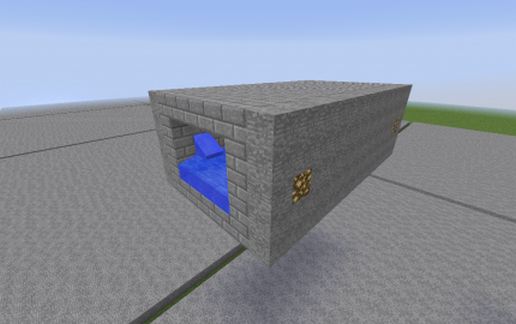
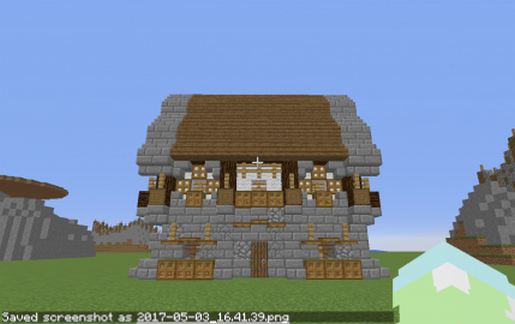
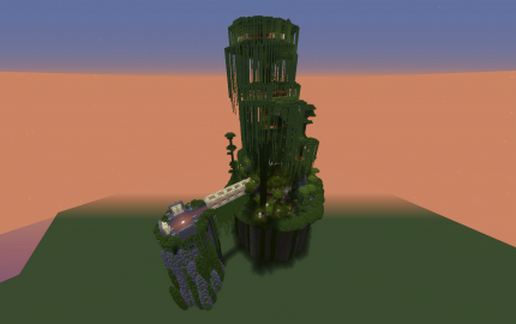
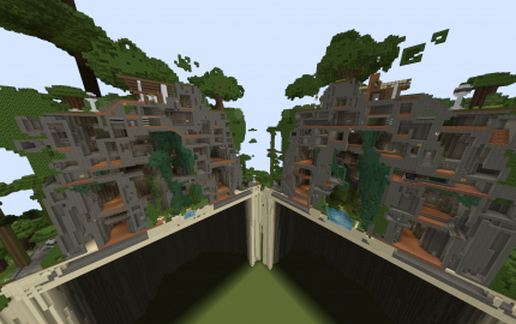
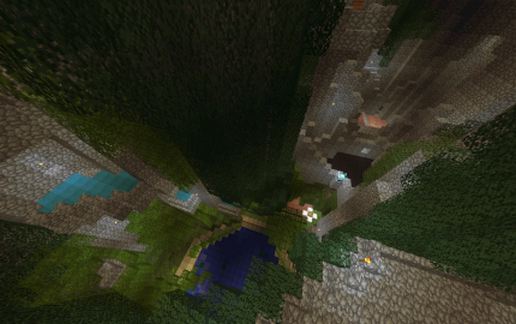
A House Complex or a Complex House. You decide. This build started as a house with a piston door leading to a huge underground area. It is maze-like in nature. But fear not, there are no boring walls. This build has secrets everywhere. Find your way down to the underground pond or all the way up to the hard to find tree houses.
PVP, CAPTURE THE FLAG, COMPLETE THE MONUMENT:
This is a great opportunity for the before-mentioned or those who love to explore. I have this listed as 90% complete. I am leaving the last 10% for you to change and modify to your liking.One recommendation is to install your favorite weapons mod. I would like to do one final version of this build utilizing more redstone, a scoreboard system.
SPECS:
1.8 World and a 1.7 Schematic File (Older version) included in download. No mods needed. Creative & MCEdit used in creation.
PLEASE READ:
Feel free to modify and use in your own builds. I love to build in creative, but I am limited in redstone & command blocks and would love to see how you modify and make this better. I am also very interested to hear how the map plays on larger crowds. How does the map flow?
CREDITS & THANK YOUS...
A few of Rumsey's trees were used and modified in this build.
A big thank you to Rumsey for the WOW styled trees. You made my earlier days of building much easier.
http://www.minecraftforum.net/topic/997352-crafting-azeroth/
PVP, CAPTURE THE FLAG, COMPLETE THE MONUMENT:
This is a great opportunity for the before-mentioned or those who love to explore. I have this listed as 90% complete. I am leaving the last 10% for you to change and modify to your liking.One recommendation is to install your favorite weapons mod. I would like to do one final version of this build utilizing more redstone, a scoreboard system.
SPECS:
1.8 World and a 1.7 Schematic File (Older version) included in download. No mods needed. Creative & MCEdit used in creation.
PLEASE READ:
Feel free to modify and use in your own builds. I love to build in creative, but I am limited in redstone & command blocks and would love to see how you modify and make this better. I am also very interested to hear how the map plays on larger crowds. How does the map flow?
CREDITS & THANK YOUS...
A few of Rumsey's trees were used and modified in this build.
A big thank you to Rumsey for the WOW styled trees. You made my earlier days of building much easier.
http://www.minecraftforum.net/topic/997352-crafting-azeroth/
Download: House Complex schematic for Minecraft
| Format | Size | Use with | |
|---|---|---|---|
.litematic house-complex.litematic |
769.91 KB | Litematica (Java) — more Litematica schematics |
|
.schem house-complex.schem |
407.79 KB | WorldEdit / FAWE |
|
.schematic house-complex.schematic |
681.46 KB | Legacy / online installer |
|
| Install this build directly on your Minecraft map |
|
||
Auto-converted from the original format; container contents (chests, signs) may be missing.
📘 How to use with Litematica (click to expand)
- Put the downloaded
.litematicfile into the.minecraft/schematics/folder. - In game, press M to open the Litematica menu and choose Load Schematics.
- Select the file in the list and click Load Schematic.
- Position the placement where you want it and build — or paste it instantly in creative with Easy Place mode.
Requires the Litematica mod (Java Edition).
More builds: Litematica schematics.
Comments
Similar