Computer
Published on January 1, 2023
By MrSpacemau5
👁️🗨️ 174
66
★
★
★
★
★
Rate it
Screenshots
Description
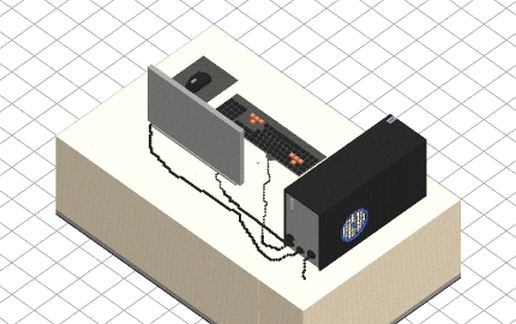
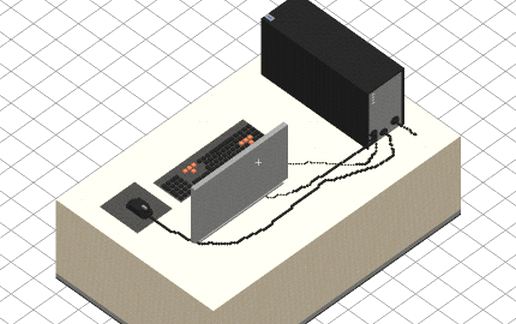
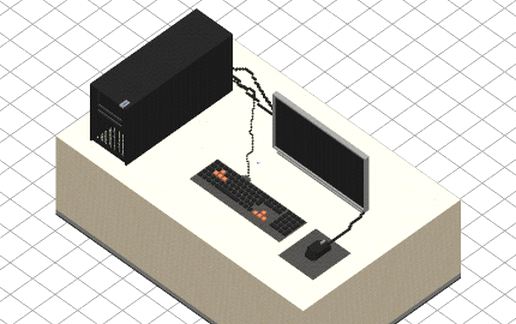
I tried to make a computer inside minecraft. The result could have been worse though...
The keyboard and the mouse are fine, the screen is okay, and the tower... well... it's empty...
Oh, it's just decoration, the computer doesn't work XD
The keyboard and the mouse are fine, the screen is okay, and the tower... well... it's empty...
Oh, it's just decoration, the computer doesn't work XD
Download: Computer schematic for Minecraft
| Format | Size | Use with | |
|---|---|---|---|
.litematic computer.litematic |
33.11 KB | Litematica (Java) — more Litematica schematics |
|
.schem computer.schem |
4.72 KB | WorldEdit / FAWE |
|
.schematic computer.schematic |
8.19 KB | Legacy / online installer |
|
| Install this build directly on your Minecraft map |
|
||
Auto-converted from the original format; container contents (chests, signs) may be missing.
📘 How to use with Litematica (click to expand)
- Put the downloaded
.litematicfile into the.minecraft/schematics/folder. - In game, press M to open the Litematica menu and choose Load Schematics.
- Select the file in the list and click Load Schematic.
- Position the placement where you want it and build — or paste it instantly in creative with Easy Place mode.
Requires the Litematica mod (Java Edition).
More builds: Litematica schematics.
Comments
Similar