3 Way Armour/Villager Trade Swapper
Published on January 1, 2023
By jjs23
👁️🗨️ 179
24
★
★
★
★
★
Rate it
Screenshots
Description
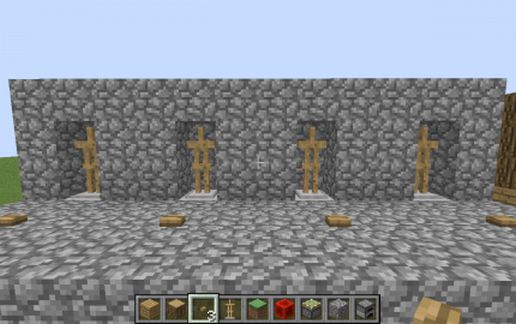
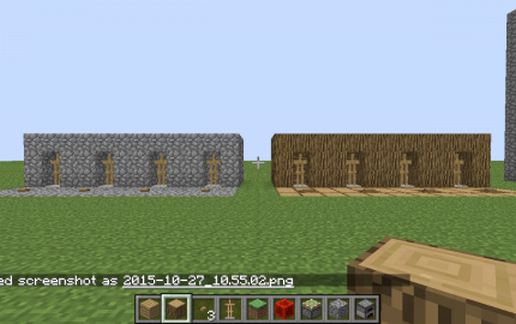
This awesome Minecraft Redstone creation will allow you to have a 3 way Armor Stand/Villager Trade swapper to quickly switch between your favorite Armor Sets or Villagers for easy trading !
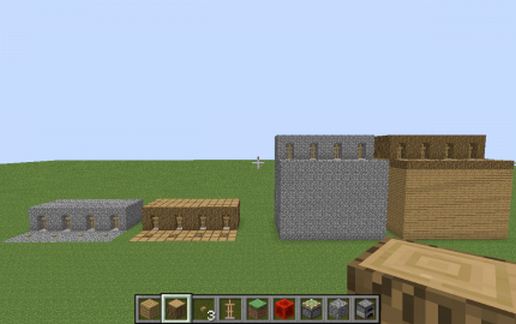
Other photos show the Stand at ground level. When importing through MCEdit you'll need to nudge it down to get it at ground level. Will not work at Ground level on a Super Flat Map. I Have provided it built in both Cobblestone and Wood depending on whats suits your House for easy seamless integration.
If you would like to use it as a Villager Trade system then just delete the Armour Stand and spawn a Villager onto the Trap Door. Make Sure to block them in with Fence or Glass. I personally found it to be not as useful as a Villager Trade System as the Villagers seemed to not stay where they needed when underground so it caused them not to appear when pushing the button. When id go into the back of the system there would be 2 standing on the same block. It seems to happen when the machine is in use but as an Armour Stand it works 100% perfect. Enjoy
Other photos show the Stand at ground level. When importing through MCEdit you'll need to nudge it down to get it at ground level. Will not work at Ground level on a Super Flat Map. I Have provided it built in both Cobblestone and Wood depending on whats suits your House for easy seamless integration.
If you would like to use it as a Villager Trade system then just delete the Armour Stand and spawn a Villager onto the Trap Door. Make Sure to block them in with Fence or Glass. I personally found it to be not as useful as a Villager Trade System as the Villagers seemed to not stay where they needed when underground so it caused them not to appear when pushing the button. When id go into the back of the system there would be 2 standing on the same block. It seems to happen when the machine is in use but as an Armour Stand it works 100% perfect. Enjoy
Download: 3 Way Armour/Villager Trade Swapper schematic for Minecraft
| Format | Size | Use with | |
|---|---|---|---|
.litematic 3-way-armour/villager-trade-swapper.litematic |
27.04 KB | Litematica (Java) — more Litematica schematics |
|
.schem 3-way-armour/villager-trade-swapper.schem |
814.00 B | WorldEdit / FAWE |
|
.schematic 3-way-armour/villager-trade-swapper.schematic |
1.74 KB | Legacy / online installer |
|
| Install this build directly on your Minecraft map |
|
||
Auto-converted from the original format; container contents (chests, signs) may be missing.
📘 How to use with Litematica (click to expand)
- Put the downloaded
.litematicfile into the.minecraft/schematics/folder. - In game, press M to open the Litematica menu and choose Load Schematics.
- Select the file in the list and click Load Schematic.
- Position the placement where you want it and build — or paste it instantly in creative with Easy Place mode.
Requires the Litematica mod (Java Edition).
More builds: Litematica schematics.
Comments
Similar