Experience storage 1.8+
Published on January 1, 2023
By vextgolden
👁️🗨️ 6
15
★
★
★
★
★
Rate it
Description
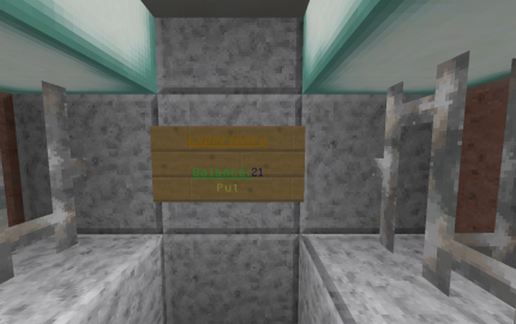
This is a very useful tool. It allows you to store experience. Only two rooms:
In one room, the experience can be put in the bank.
In another room, you can take experience.
To put or withdraw experience, simply right click on the sign.
Working on a server! Every player has his own score (take another player experience is not possible). To see how much experience on account of the players need to enter the following command:
/scoreboard objectives setdisplay sidebar exp
Warning! Display the player's accounts only after you have once put or will take the experience of the bank.
In one room, the experience can be put in the bank.
In another room, you can take experience.
To put or withdraw experience, simply right click on the sign.
Working on a server! Every player has his own score (take another player experience is not possible). To see how much experience on account of the players need to enter the following command:
/scoreboard objectives setdisplay sidebar exp
Warning! Display the player's accounts only after you have once put or will take the experience of the bank.
Download: Experience storage 1.8+ schematic for Minecraft
| Format | Size | Use with | |
|---|---|---|---|
.litematic experience-storage-1.8.litematic |
35.69 KB | Litematica (Java) — more Litematica schematics |
|
.schem experience-storage-1.8.schem |
619.00 B | WorldEdit / FAWE |
|
.schematic experience-storage-1.8.schematic |
1.36 KB | Legacy / online installer |
|
| Install this build directly on your Minecraft map |
|
||
Auto-converted from the original format; container contents (chests, signs) may be missing.
📘 How to use with Litematica (click to expand)
- Put the downloaded
.litematicfile into the.minecraft/schematics/folder. - In game, press M to open the Litematica menu and choose Load Schematics.
- Select the file in the list and click Load Schematic.
- Position the placement where you want it and build — or paste it instantly in creative with Easy Place mode.
Requires the Litematica mod (Java Edition).
More builds: Litematica schematics.
Comments
Similar