Nada Dome(Stadium on my server)
Published on January 1, 2023
By mrnada
👁️🗨️ 149
47
★
★
★
★
★
Rate it
Screenshots
Description
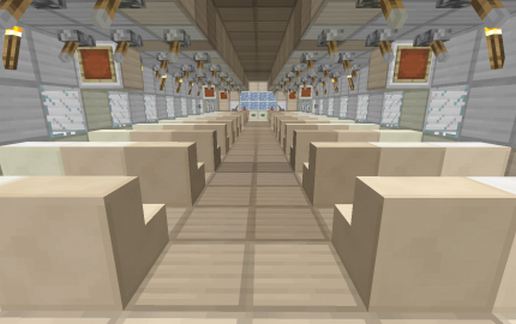
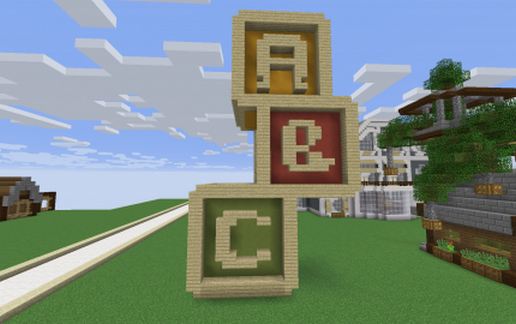
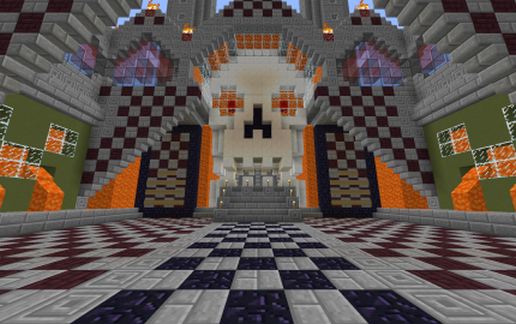
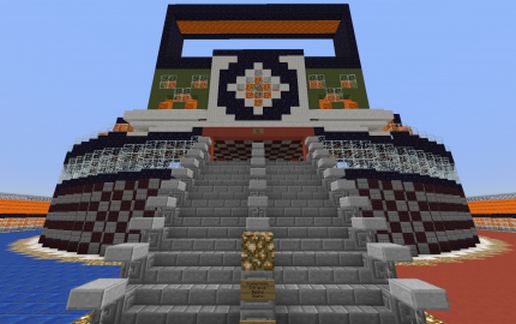
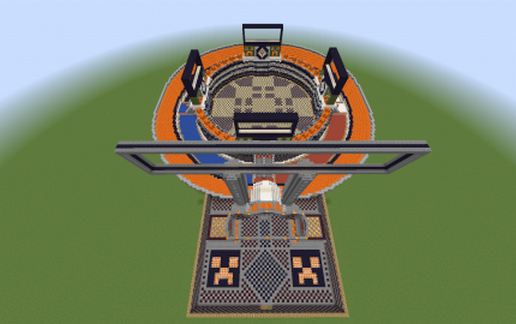
This is the stadium I built for my server It has 2 floors a combatant floor(ground floor) and a viewing floor(1st floor) There are shops set on the ground floor color coded to make it easier to get around. there are areas to set up warps for the arena and such but I didn't include them. Also 5 billboards left blank for your needs. Plenty of areas to explore and is lit up very well. the center of the arena is not as to have natural spawning monster if you wish. I had a lot of fun making this and I hope you will enjoy killing lots of stuff in it. Here is a quick walkthrough of the build.
https://www.youtube.com/watch?v=2r0hZIrQI5o
https://www.youtube.com/watch?v=2r0hZIrQI5o
Download: Nada Dome(Stadium on my server) schematic for Minecraft
| Format | Size | Use with | |
|---|---|---|---|
.litematic nada-dome(stadium-on-my-server).litematic |
112.74 KB | Litematica (Java) — more Litematica schematics |
|
.schem nada-dome(stadium-on-my-server).schem |
25.88 KB | WorldEdit / FAWE |
|
.schematic nada-dome(stadium-on-my-server).schematic |
40.18 KB | Legacy / online installer |
|
| Install this build directly on your Minecraft map |
|
||
Auto-converted from the original format; container contents (chests, signs) may be missing.
📘 How to use with Litematica (click to expand)
- Put the downloaded
.litematicfile into the.minecraft/schematics/folder. - In game, press M to open the Litematica menu and choose Load Schematics.
- Select the file in the list and click Load Schematic.
- Position the placement where you want it and build — or paste it instantly in creative with Easy Place mode.
Requires the Litematica mod (Java Edition).
More builds: Litematica schematics.
Comments
Similar