Assault Airship - Silver Empire Warship Assault Craft
Published on January 1, 2023
By msummers
👁️🗨️ 179
30
★
★
★
★
★
Rate it
Screenshots
Description
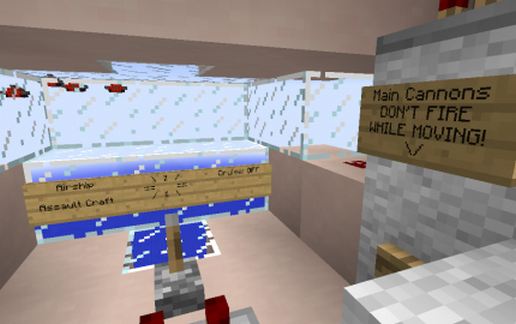
An airship that can be flown using the Movecraft Plugin for Minecraft. Fully functional, all weapons work. The airship is seen only briefly in the attached video, escorting the carrier.
The Warship Assault airships of the Silver Empire were designed primarily to support fighters attacking enemy warships. Fighters were particularly vulnerable to fireball attack, and therefore the Assault ships would provide a screen protecting the more vulnerable fighters from retaliation, allowing the fighters to launch their torpedoes from safety.
Assault ships were designed to be cheap to build and easy to mass produce.
Armament:
2 x forward firing cannons (long range, configurable fuse)
4 x forward firing repeating fireball guns (for setting enemy warships aflame after breaching their armor with the main cannons)
Notes:
You may not see the explosion of your cannon shells, as they may be too far away to be seen. To fire at closer range either adjust the fuse on the cannons using the repeaters in the cockpit, or only load 2 of the 3 propellent dispensers in the cannons themselves.
Use these craft files for Movecraft, put them in the plugins\movecraft\types directory:
https://dl.dropboxusercontent.com/u/11164014/MovecraftTypes.zip
Finally, if you need help setting up Movecraft, use this tutorial:
www.youtube.com/watch?v=hWHqnTkY330
The Warship Assault airships of the Silver Empire were designed primarily to support fighters attacking enemy warships. Fighters were particularly vulnerable to fireball attack, and therefore the Assault ships would provide a screen protecting the more vulnerable fighters from retaliation, allowing the fighters to launch their torpedoes from safety.
Assault ships were designed to be cheap to build and easy to mass produce.
Armament:
2 x forward firing cannons (long range, configurable fuse)
4 x forward firing repeating fireball guns (for setting enemy warships aflame after breaching their armor with the main cannons)
Notes:
You may not see the explosion of your cannon shells, as they may be too far away to be seen. To fire at closer range either adjust the fuse on the cannons using the repeaters in the cockpit, or only load 2 of the 3 propellent dispensers in the cannons themselves.
Use these craft files for Movecraft, put them in the plugins\movecraft\types directory:
https://dl.dropboxusercontent.com/u/11164014/MovecraftTypes.zip
Finally, if you need help setting up Movecraft, use this tutorial:
www.youtube.com/watch?v=hWHqnTkY330
Download: Assault Airship - Silver Empire Warship Assault Craft schematic for Minecraft
| Format | Size | Use with | |
|---|---|---|---|
.litematic assault-airship---silver-empire-warship-assault-craft.litematic |
30.21 KB | Litematica (Java) — more Litematica schematics |
|
.schem assault-airship---silver-empire-warship-assault-craft.schem |
1.32 KB | WorldEdit / FAWE |
|
.schematic assault-airship---silver-empire-warship-assault-craft.schematic |
1.24 KB | Legacy / online installer |
|
| Install this build directly on your Minecraft map |
|
||
Auto-converted from the original format; container contents (chests, signs) may be missing.
📘 How to use with Litematica (click to expand)
- Put the downloaded
.litematicfile into the.minecraft/schematics/folder. - In game, press M to open the Litematica menu and choose Load Schematics.
- Select the file in the list and click Load Schematic.
- Position the placement where you want it and build — or paste it instantly in creative with Easy Place mode.
Requires the Litematica mod (Java Edition).
More builds: Litematica schematics.
Comments
Similar