Tic-Tac-Toe Board V2
Published on January 1, 2023
By ert44
👁️🗨️ 172
29
★
★
★
★
★
Rate it
Screenshots
Description
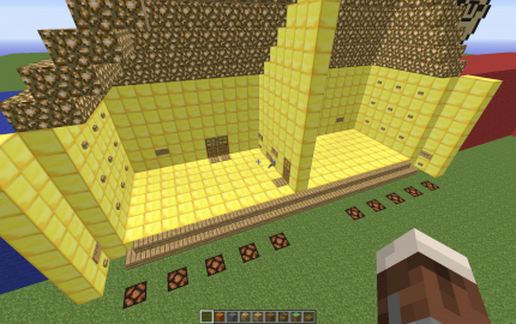
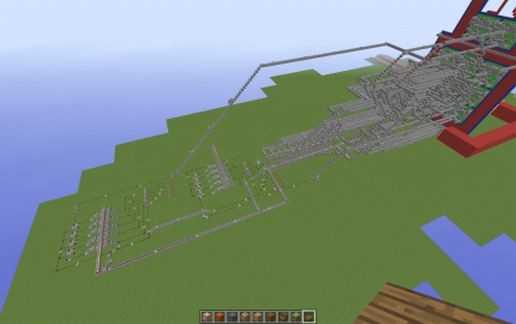
A completely revamped version of my first Tic-Tac-Toe board. This version features button control, automatic scoring, reset and game reset buttons, automatic reset or manual reset options, and fireworks for when you win. It also completely resets when you have won five games total. It features 11,162 pieces of redstone wire.
It may be a bit difficult to understand how to use, but you can eventually get the hang of it with practice. The reset button resets only that round, but the game reset button resets the entire game; it puts out the redstone lamps in front of you.
See the original version here: http://www.minecraft-schematics.com/schematic/230/
It may be a bit difficult to understand how to use, but you can eventually get the hang of it with practice. The reset button resets only that round, but the game reset button resets the entire game; it puts out the redstone lamps in front of you.
See the original version here: http://www.minecraft-schematics.com/schematic/230/
Download: Tic-Tac-Toe Board V2 schematic for Minecraft
| Format | Size | Use with | |
|---|---|---|---|
.litematic tic-tac-toe-board-v2.litematic |
91.56 KB | Litematica (Java) — more Litematica schematics |
|
.schem tic-tac-toe-board-v2.schem |
19.22 KB | WorldEdit / FAWE |
|
.schematic tic-tac-toe-board-v2.schematic |
29.98 KB | Legacy / online installer |
|
| Install this build directly on your Minecraft map |
|
||
Auto-converted from the original format; container contents (chests, signs) may be missing.
📘 How to use with Litematica (click to expand)
- Put the downloaded
.litematicfile into the.minecraft/schematics/folder. - In game, press M to open the Litematica menu and choose Load Schematics.
- Select the file in the list and click Load Schematic.
- Position the placement where you want it and build — or paste it instantly in creative with Easy Place mode.
Requires the Litematica mod (Java Edition).
More builds: Litematica schematics.
Comments
Similar