Herobrine's Mansion Restored
Published on November 9, 2026
👁️🗨️ 80
9
★
★
★
★
★
Rate it
Screenshots
Description
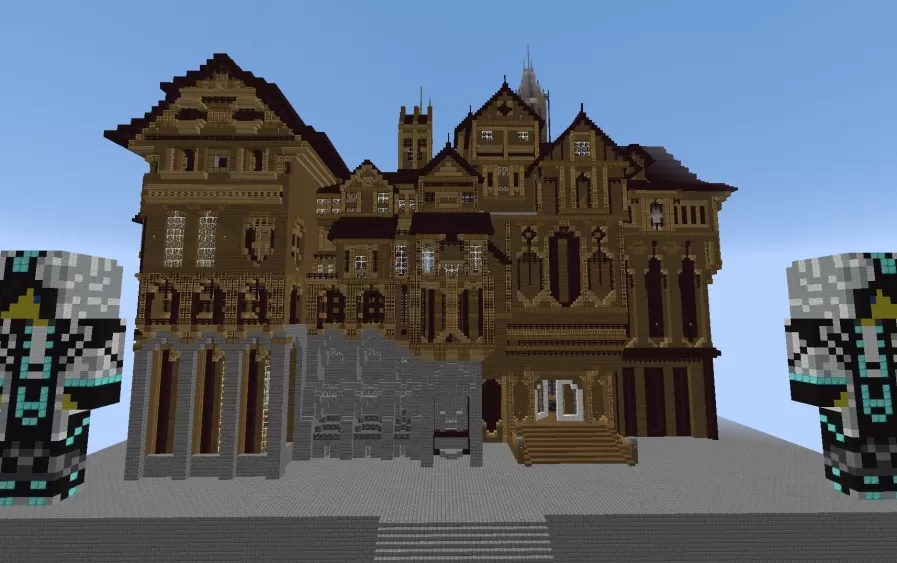
Herobrine's Mansion Restored is a rebuild of the mansion from Hypixel's old adventure map, stripped of everything that made the original a dungeon. Nothing spawns, nothing triggers, and nothing is wired to hurt you, so what's left is a building to settle into. The exterior is a sprawling Victorian pile in tan and dark brown wood, crowded with gables, bay windows, a corner tower and a thin spire, and anchored at one end by a gray stone wing with tall arches at ground level. Wide stairs lead up to the front door, and the uneven roofline and heavy window framing give it the slightly menacing look the original was known for.
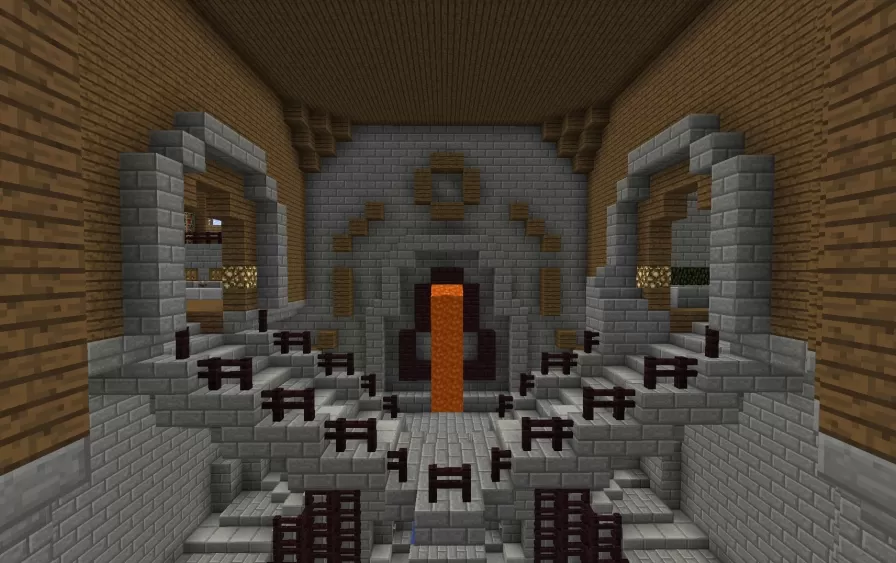
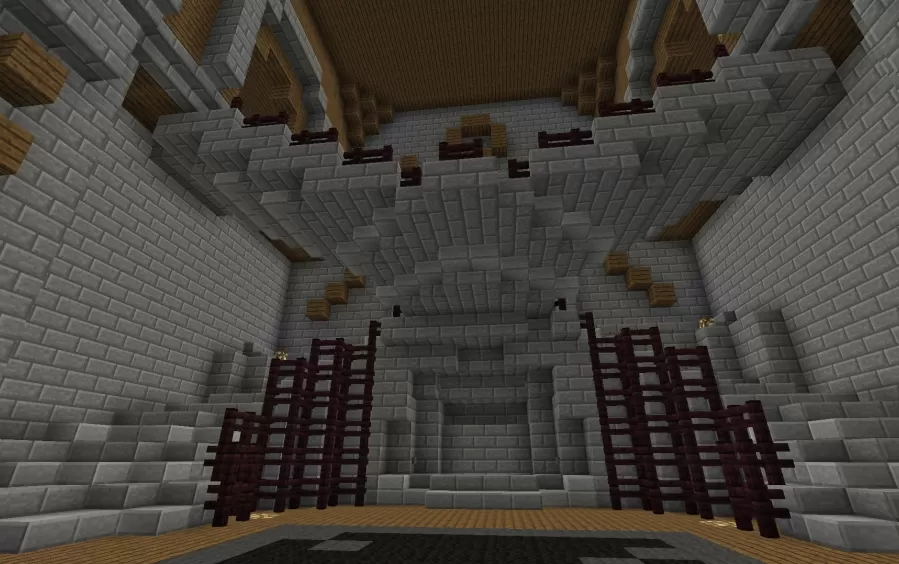
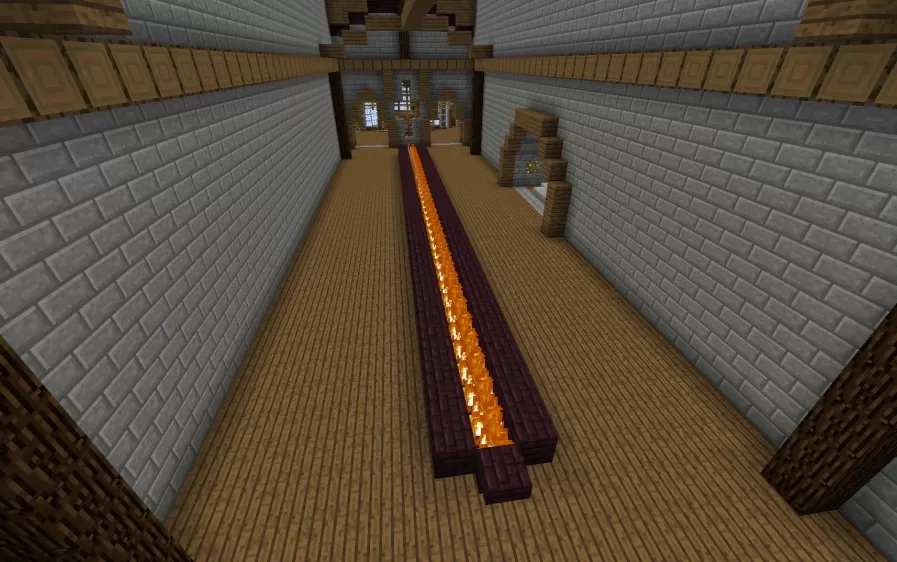
Inside, the rooms are built on a scale that dwarfs a player. A long hall runs between polished stone walls with a channel of lava set into the plank floor down the middle, framed by dark nether brick. Another chamber opens into a vaulted stone space with a raised altar, lava burning in a recess behind it, and rows of red fences stepping down toward the floor like seating. The stone, dark wood and open flame keep the whole place feeling like a villain's lair, except now nothing in it is trying to kill you.
Inside, the rooms are built on a scale that dwarfs a player. A long hall runs between polished stone walls with a channel of lava set into the plank floor down the middle, framed by dark nether brick. Another chamber opens into a vaulted stone space with a raised altar, lava burning in a recess behind it, and rows of red fences stepping down toward the floor like seating. The stone, dark wood and open flame keep the whole place feeling like a villain's lair, except now nothing in it is trying to kill you.
Download: Herobrine's Mansion Restored schematic for Minecraft
| Format | Size | Use with | |
|---|---|---|---|
.litematic herobrine's-mansion-restored.litematic |
99.52 KB | Litematica (Java) — more Litematica schematics |
|
.schem herobrine's-mansion-restored.schem |
49.77 KB | WorldEdit / FAWE |
|
.schematic herobrine's-mansion-restored.schematic |
75.00 KB | Legacy / online installer |
|
Install this build directly on your Minecraft map
Auto-converted from the original format; container contents (chests, signs) may be missing.
📘 How to use with Litematica (click to expand)
- Put the downloaded
.litematicfile into the.minecraft/schematics/folder. - In game, press M to open the Litematica menu and choose Load Schematics.
- Select the file in the list and click Load Schematic.
- Position the placement where you want it and build — or paste it instantly in creative with Easy Place mode.
Requires the Litematica mod (Java Edition).
More builds: Litematica schematics.