Small Cherry House
Published on October 17, 2026
👁️🗨️ 166
42
★
★
★
★
★
Rate it
Screenshots
Description
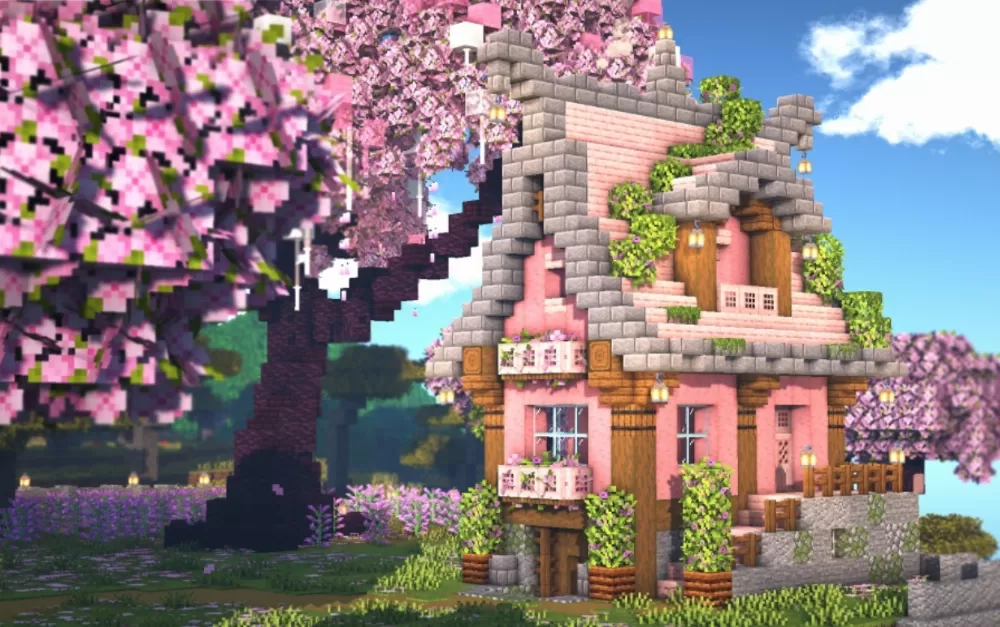
Small Cherry House is a two-story cottage built almost entirely in soft pink, with stone brick framing the gable and the roofline and dark wood columns breaking up the walls. Flower boxes hang under the windows, vines climb the corners, and lanterns are spaced along the eaves and the entrance. The ground level sits on a stone foundation with a short deck and railing at one side, and a cherry tree leaning over the roof completes the look the name promises.
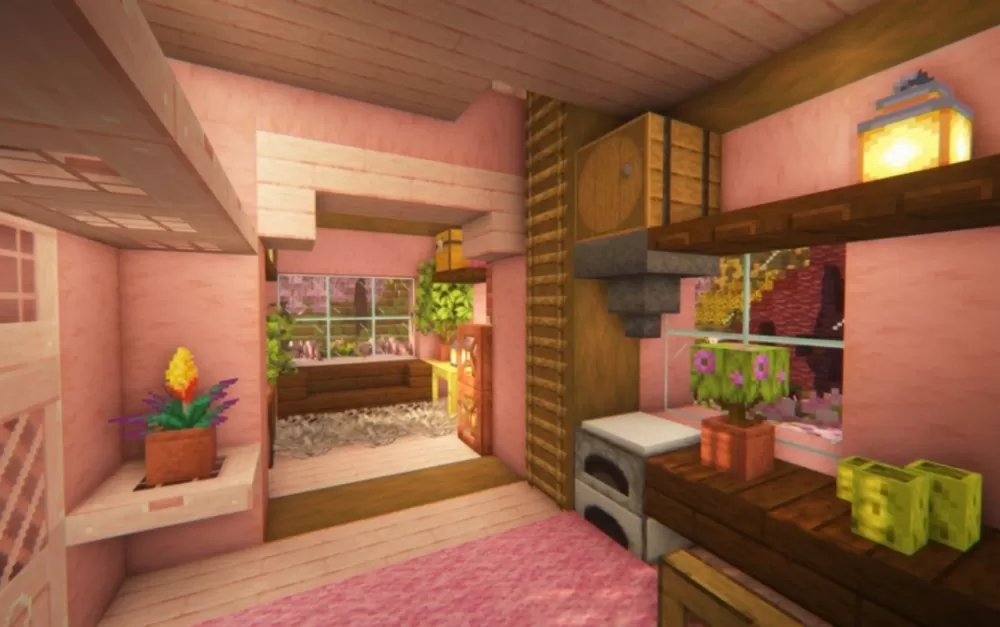
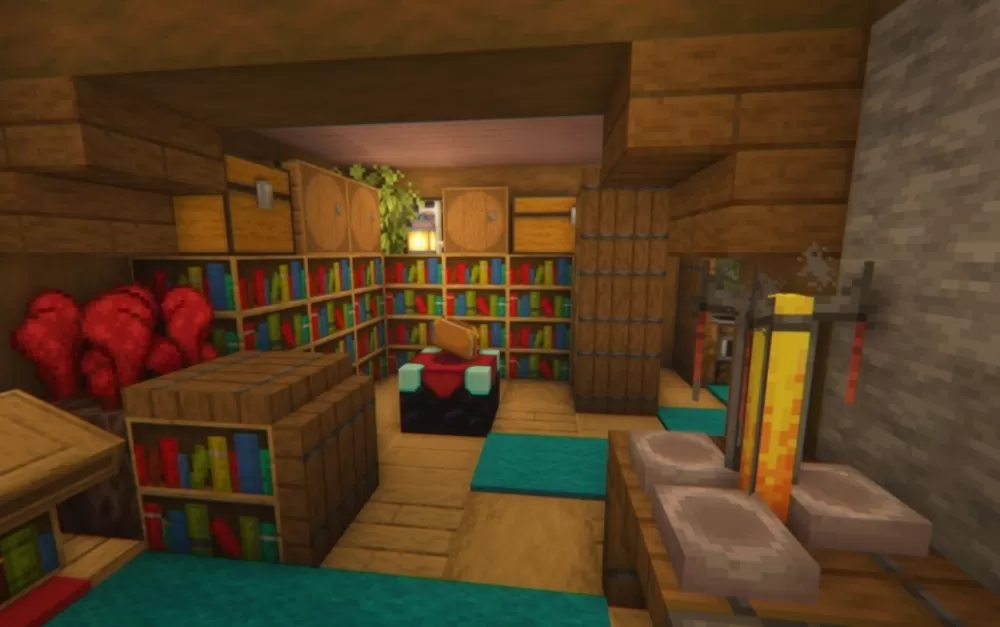
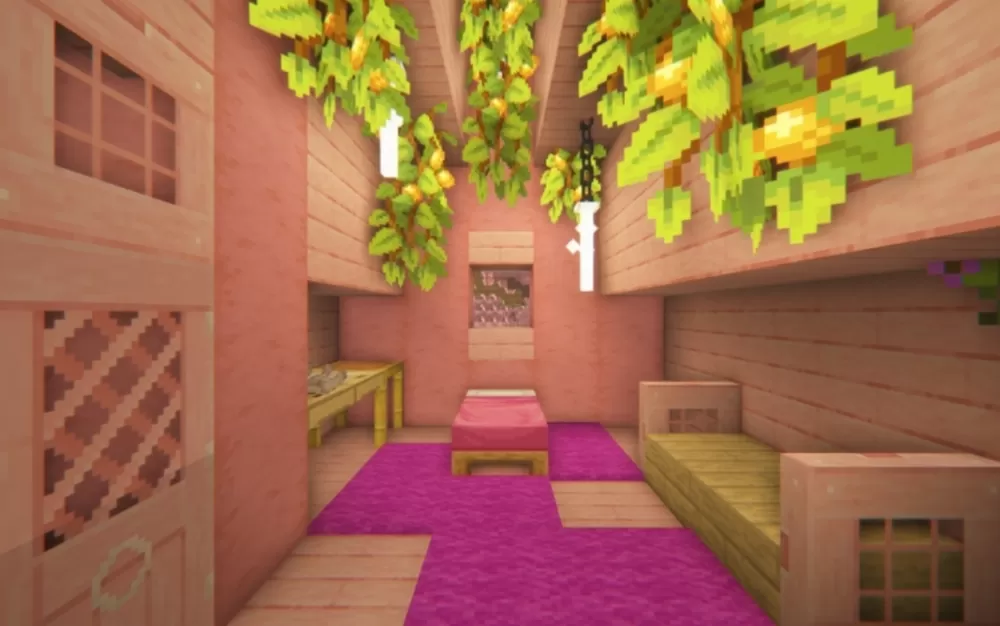
Inside, the pink carries through to the walls and floors, kept from feeling flat by warm wood trim, white carpets, and potted plants on the shelves. One room opens onto a window seat looking out at the blossoms, while a kitchen area runs along the wall with a stone counter, furnaces, and a lantern overhead. Downstairs is a different mood entirely: a storage and workshop space in plain wood, lined with bookshelves, barrels and chests, with a blast furnace and a brewing setup along one wall and red mushrooms growing in the corner. The split between the two makes the place feel properly lived in, with the pretty rooms upstairs and the practical ones tucked out of sight.
Inside, the pink carries through to the walls and floors, kept from feeling flat by warm wood trim, white carpets, and potted plants on the shelves. One room opens onto a window seat looking out at the blossoms, while a kitchen area runs along the wall with a stone counter, furnaces, and a lantern overhead. Downstairs is a different mood entirely: a storage and workshop space in plain wood, lined with bookshelves, barrels and chests, with a blast furnace and a brewing setup along one wall and red mushrooms growing in the corner. The split between the two makes the place feel properly lived in, with the pretty rooms upstairs and the practical ones tucked out of sight.
Download: Small Cherry House schematic for Minecraft
| Format | Size | Use with | |
|---|---|---|---|
.litematic small-cherry-house.litematic |
5.93 KB | Litematica (Java) — more Litematica schematics |
|
.schem small-cherry-house.schem |
3.88 KB | WorldEdit / FAWE |
|
.schematic small-cherry-house.schematic |
1.58 KB | Legacy / online installer Older format: about 66% of the blocks are replaced with their closest pre-1.13 lookalikes. |
|
| Install this build directly on your Minecraft map |
|
||
Auto-converted from the original format; container contents (chests, signs) may be missing.
📘 How to use with Litematica (click to expand)
- Put the downloaded
.litematicfile into the.minecraft/schematics/folder. - In game, press M to open the Litematica menu and choose Load Schematics.
- Select the file in the list and click Load Schematic.
- Position the placement where you want it and build — or paste it instantly in creative with Easy Place mode.
Requires the Litematica mod (Java Edition).
More builds: Litematica schematics.
Comments
Similar