Fortress
Published on April 7, 2026
👁️🗨️ 3208
287
★
★
★
★
★
Rate it
Screenshots
Description
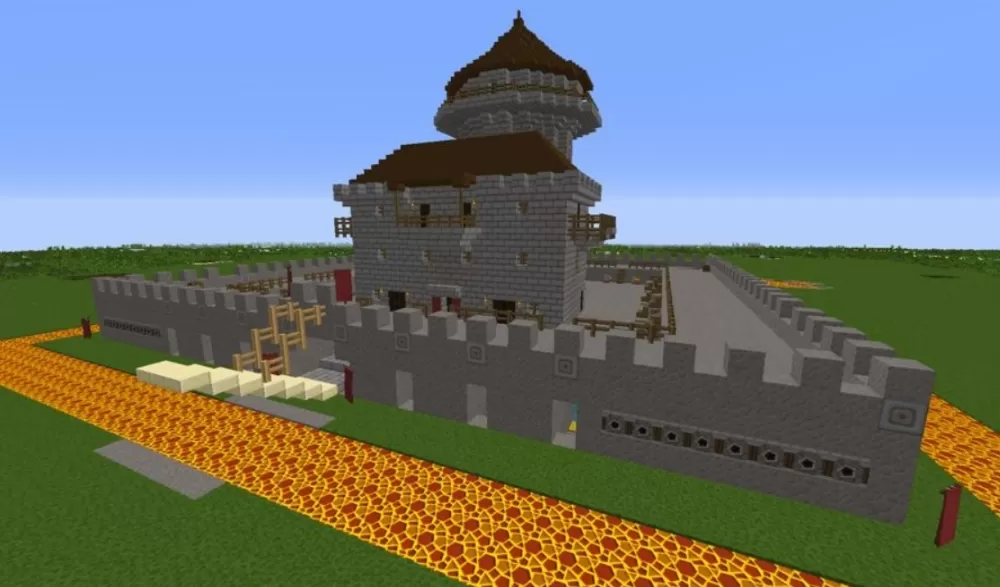
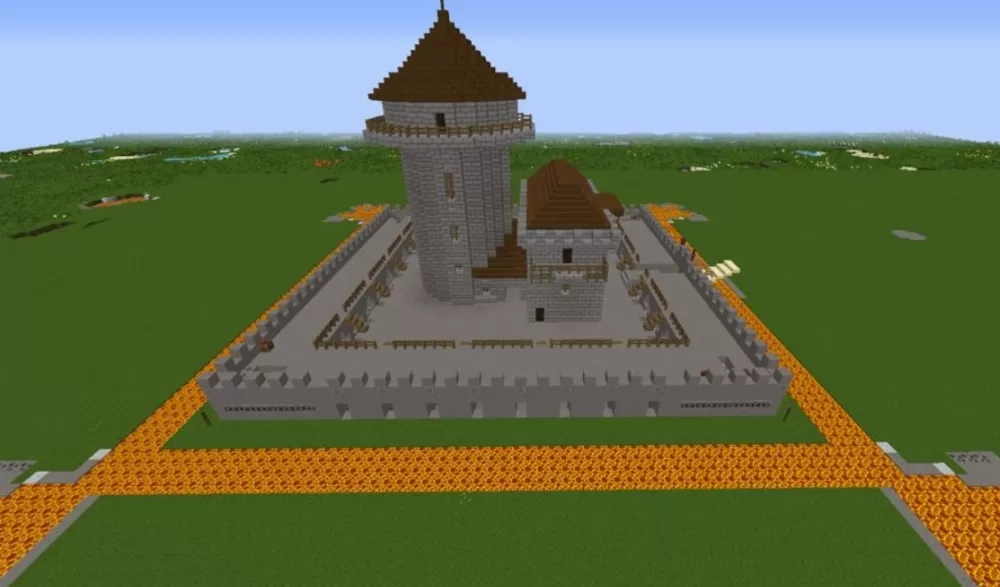
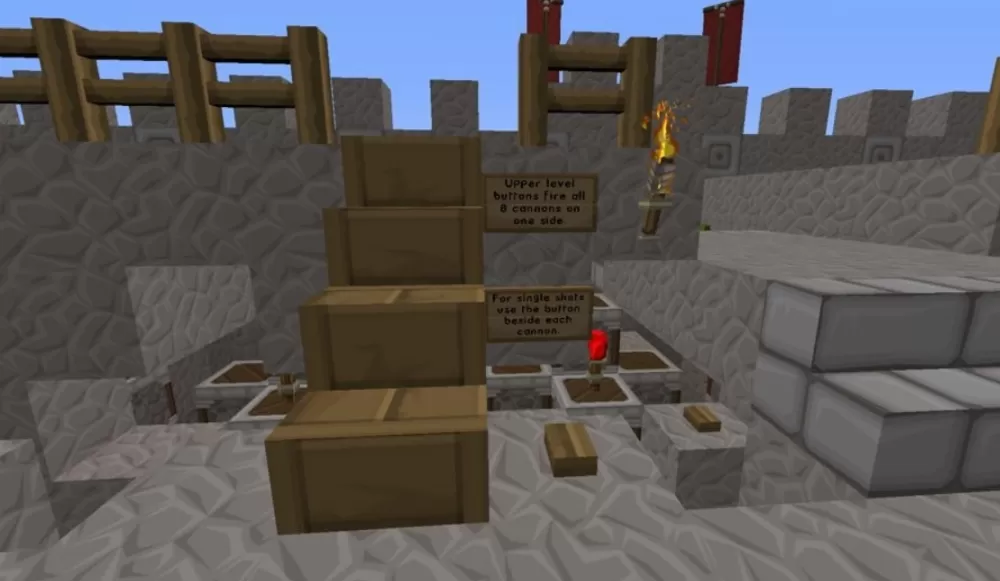
This schematic presents a compact medieval fortress featuring a distinctive round tower keep with conical roof, constructed from stone brick and dark oak materials. The fortress is surrounded by defensive walls with crenellated battlements that create a protected courtyard area. The structure includes functional defensive systems with 8 working cannons positioned strategically around the walls and 16 arrow dispensers on each side, providing automated defensive capabilities against attackers. The central tower rises in two cylindrical tiers with a pointed roof, while the walls connect to form a complete perimeter defense with corner sections and walkways for defenders.
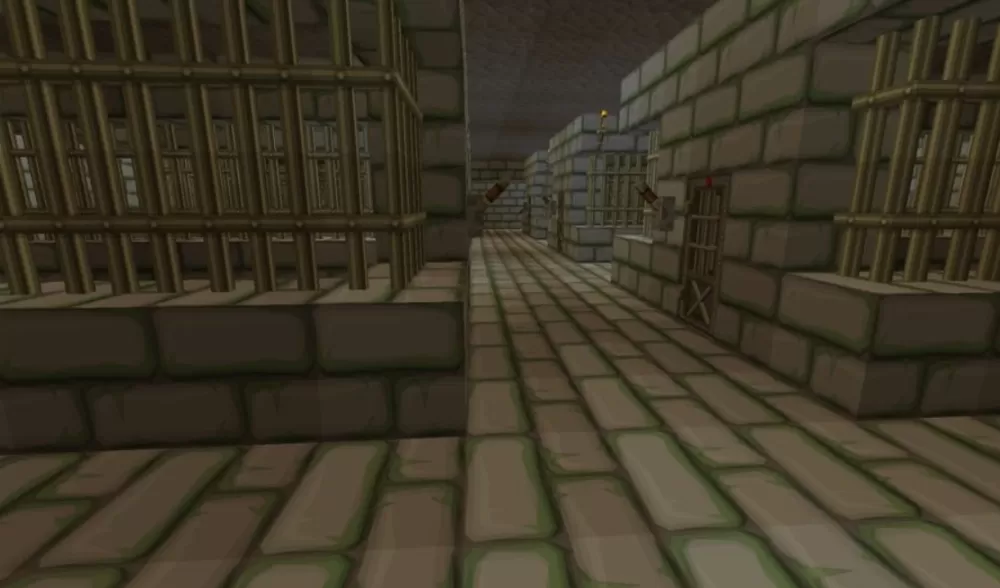
The castle includes a dungeon level beneath the main structure for imprisonment or storage purposes, and both the tower and castle sections are divided into multiple rooms that come unfurnished for player customization. A lava moat surrounds portions of the fortress exterior, adding an additional layer of defense and dramatic visual impact. This schematic works perfectly for PvP servers requiring defendable bases, survival worlds where players need fortified homes, or adventure maps with siege scenarios. The compact size makes it practical to build in survival mode while the functional defensive systems add gameplay mechanics beyond simple aesthetics, creating opportunities for castle defense mini-games or automated mob protection systems.
The castle includes a dungeon level beneath the main structure for imprisonment or storage purposes, and both the tower and castle sections are divided into multiple rooms that come unfurnished for player customization. A lava moat surrounds portions of the fortress exterior, adding an additional layer of defense and dramatic visual impact. This schematic works perfectly for PvP servers requiring defendable bases, survival worlds where players need fortified homes, or adventure maps with siege scenarios. The compact size makes it practical to build in survival mode while the functional defensive systems add gameplay mechanics beyond simple aesthetics, creating opportunities for castle defense mini-games or automated mob protection systems.
Download: Fortress schematic for Minecraft
| Format | Size | Use with | |
|---|---|---|---|
.litematic fortress.litematic |
53.60 KB | Litematica (Java) — more Litematica schematics |
|
.schem fortress.schem |
6.51 KB | WorldEdit / FAWE |
|
.schematic fortress.schematic |
13.67 KB | Legacy / online installer |
|
| Install this build directly on your Minecraft map |
|
||
Auto-converted from the original format; container contents (chests, signs) may be missing.
📘 How to use with Litematica (click to expand)
- Put the downloaded
.litematicfile into the.minecraft/schematics/folder. - In game, press M to open the Litematica menu and choose Load Schematics.
- Select the file in the list and click Load Schematic.
- Position the placement where you want it and build — or paste it instantly in creative with Easy Place mode.
Requires the Litematica mod (Java Edition).
More builds: Litematica schematics.
Comments
Similar