2 Story stackable mansion
Published on January 1, 2023
By OMG_GABRIEL
👁️🗨️ 181
37
★
★
★
★
★
Rate it
Screenshots
Description
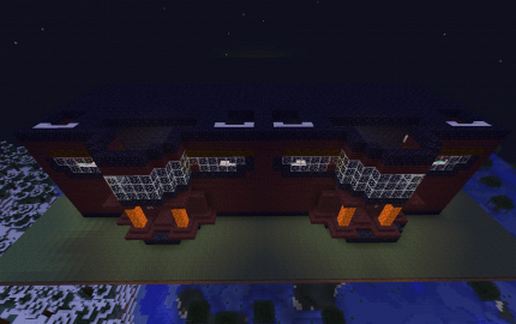
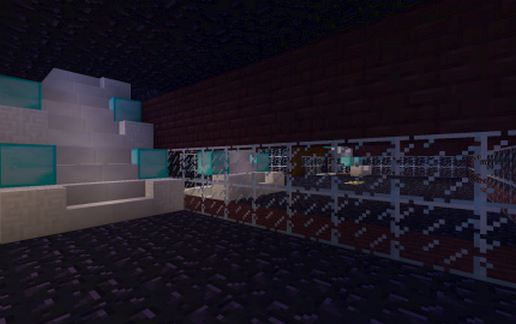
First schematic! This is a small mansion I built for myself. I needed a little more room, so I said, "What if I could stack one mansion on another?" And that's where this was born! It's pretty cool, especially with the block choices, it can fit in Nether or Overworld environments! It's not too hard to think of a courtyard or something to surround it, and it makes a nice gift to a donator or a friend, too! If you choose to use this, please leave a feedback, and you will have to build your own roof. I recommend using Netherbrick Stairs and slabs c:. Please leave feedback and ideas, too! ^-^ (Grass not included)
Download: 2 Story stackable mansion schematic for Minecraft
| Format | Size | Use with | |
|---|---|---|---|
.litematic 2-story-stackable-mansion.litematic |
35.95 KB | Litematica (Java) — more Litematica schematics |
|
.schem 2-story-stackable-mansion.schem |
1.15 KB | WorldEdit / FAWE |
|
.schematic 2-story-stackable-mansion.schematic |
1.14 KB | Legacy / online installer |
|
| Install this build directly on your Minecraft map |
|
||
Auto-converted from the original format; container contents (chests, signs) may be missing.
📘 How to use with Litematica (click to expand)
- Put the downloaded
.litematicfile into the.minecraft/schematics/folder. - In game, press M to open the Litematica menu and choose Load Schematics.
- Select the file in the list and click Load Schematic.
- Position the placement where you want it and build — or paste it instantly in creative with Easy Place mode.
Requires the Litematica mod (Java Edition).
More builds: Litematica schematics.
Comments
Similar