Big Tree
Published on September 21, 2026
By Jojolulueins
👁️🗨️ 45936
9379
★
★
★
★
★
Rate it
Screenshots
Description
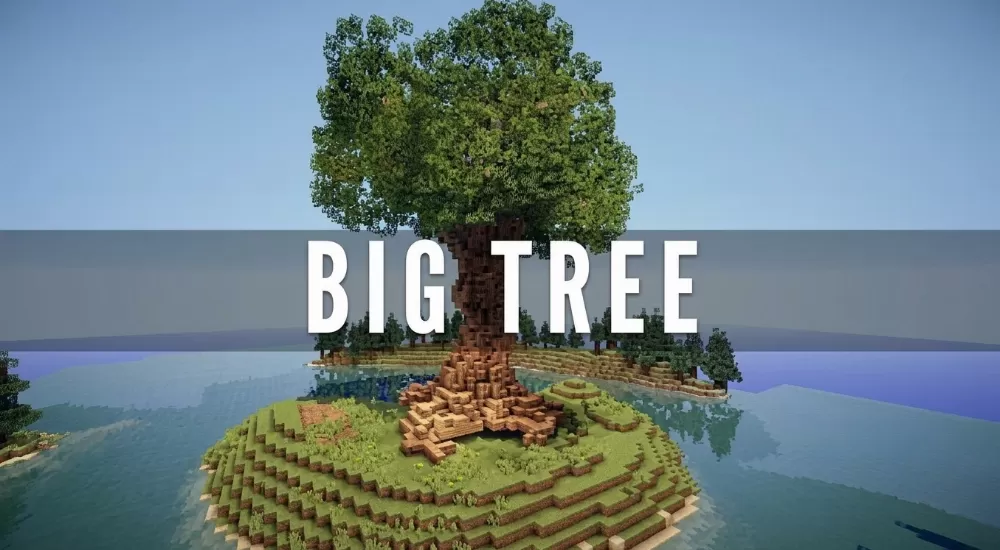
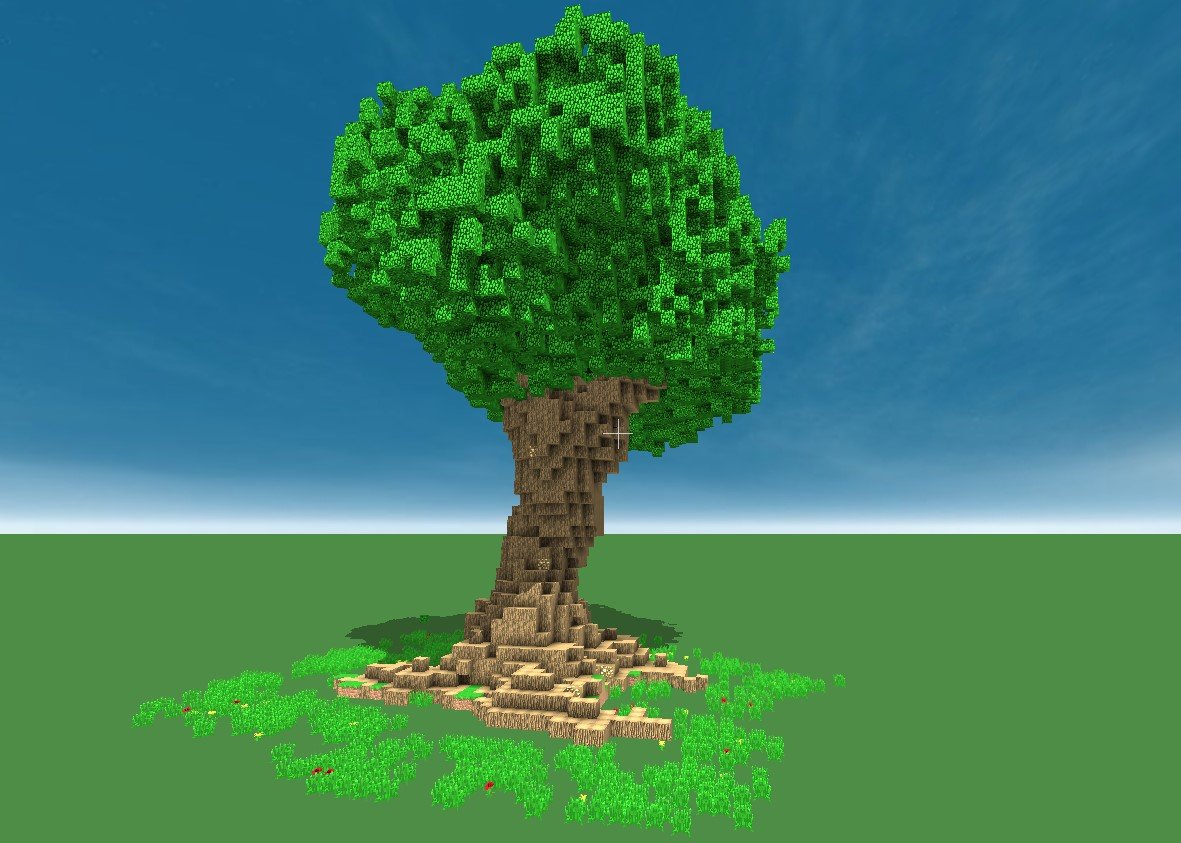
This Minecraft giant tree schematic is a huge oak-style tree with a thick trunk that twists slightly as it climbs. The base spreads out into wide, uneven roots that sink into the ground and look like natural rock and wood steps. Above the trunk sits a dense, rounded crown of bright green leaves, built with irregular clumps and gaps so it looks organic instead of like a solid cube.
Small patches of grass with red and yellow flowers are placed around the roots, which helps the tree blend into the terrain. It is a good landmark for a forest biome, a fantasy village, an elf settlement or a spawn area, and it also works as a large decoration in a survival world or on a creative server. The tree is tall and wide, so leave enough open space around it when you place it.
Small patches of grass with red and yellow flowers are placed around the roots, which helps the tree blend into the terrain. It is a good landmark for a forest biome, a fantasy village, an elf settlement or a spawn area, and it also works as a large decoration in a survival world or on a creative server. The tree is tall and wide, so leave enough open space around it when you place it.
Download: Big Tree schematic for Minecraft
| Format | Size | Use with | |
|---|---|---|---|
.litematic big-tree.litematic |
60.54 KB | Litematica (Java) — more Litematica schematics |
|
.schem big-tree.schem |
7.91 KB | WorldEdit / FAWE |
|
.schematic big-tree.schematic |
11.50 KB | Legacy / online installer |
|
| Install this build directly on your Minecraft map |
|
||
Auto-converted from the original format; container contents (chests, signs) may be missing.
📘 How to use with Litematica (click to expand)
- Put the downloaded
.litematicfile into the.minecraft/schematics/folder. - In game, press M to open the Litematica menu and choose Load Schematics.
- Select the file in the list and click Load Schematic.
- Position the placement where you want it and build — or paste it instantly in creative with Easy Place mode.
Requires the Litematica mod (Java Edition).
More builds: Litematica schematics.
Comments
Similar