Australian Pub with Accommodation Block
Published on January 1, 2023
By globecollector
👁️🗨️ 194
27
★
★
★
★
★
Rate it
Screenshots
Description
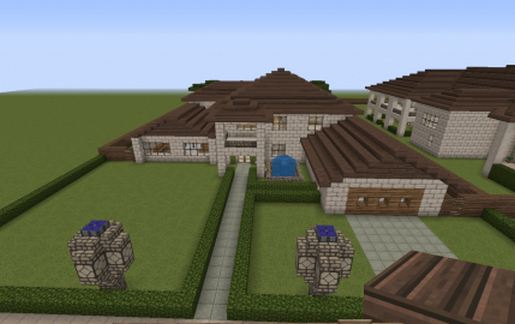
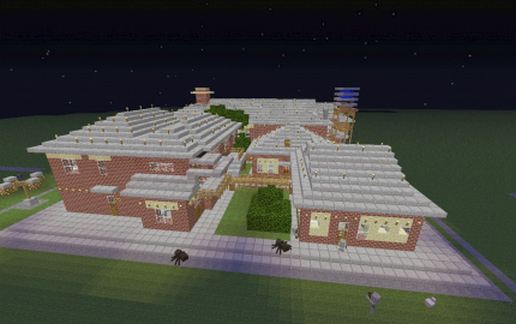
This structure, although not representing any specific real world structure is based on the architecture of the nurses' accommodation in the Murray River town of Corowa in New South Wales., a brick structure built in the 1940's. (64 Guy Street, Corowa).
Although sitting on a stone block with a footprint of 64x80 blocks and a total of 48 blocks high, the beer/wine cellar penetrates only 8 blocks below the surface, 35 blocks below the structure's highest point. The remainder of the subsurface block contains access tunnels and the bottom 13 block layers could be clipped off without effecting the pub itself. So, as is, it penetrates 21 blocks below the surface.
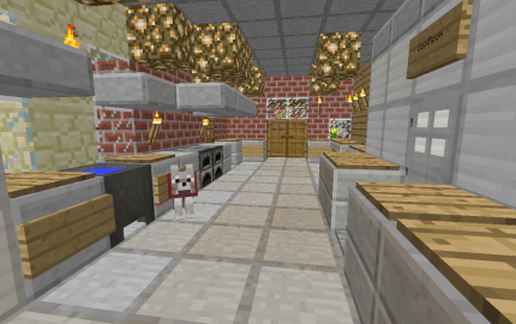
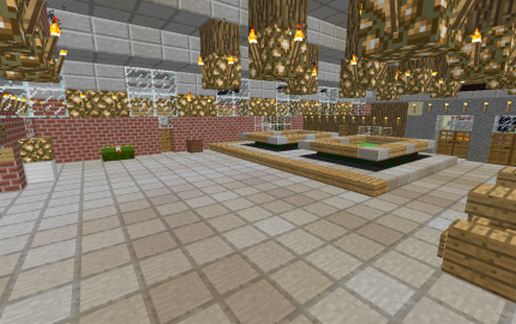
The structure consists of two buildings, the Pub itself and a smaller accommodation block. The pub has a commercial kitchen, dunnies, lounge bar, front bar, cellar, gaming room, office, bridal suite and a couple of unassigned rooms.
The accommodation block eight rooms, four on each floor. Most are singles and a couple are doubles.
The pub has a verandah on three sides and a water tank. There are fire exits on the accommodation block and a small yard at the back.
Although sitting on a stone block with a footprint of 64x80 blocks and a total of 48 blocks high, the beer/wine cellar penetrates only 8 blocks below the surface, 35 blocks below the structure's highest point. The remainder of the subsurface block contains access tunnels and the bottom 13 block layers could be clipped off without effecting the pub itself. So, as is, it penetrates 21 blocks below the surface.
The structure consists of two buildings, the Pub itself and a smaller accommodation block. The pub has a commercial kitchen, dunnies, lounge bar, front bar, cellar, gaming room, office, bridal suite and a couple of unassigned rooms.
The accommodation block eight rooms, four on each floor. Most are singles and a couple are doubles.
The pub has a verandah on three sides and a water tank. There are fire exits on the accommodation block and a small yard at the back.
Download: Australian Pub with Accommodation Block schematic for Minecraft
| Format | Size | Use with | |
|---|---|---|---|
.litematic australian-pub-with-accommodation-block.litematic |
61.72 KB | Litematica (Java) — more Litematica schematics |
|
.schem australian-pub-with-accommodation-block.schem |
8.16 KB | WorldEdit / FAWE |
|
.schematic australian-pub-with-accommodation-block.schematic |
21.27 KB | Legacy / online installer |
|
| Install this build directly on your Minecraft map |
|
||
Auto-converted from the original format; container contents (chests, signs) may be missing.
📘 How to use with Litematica (click to expand)
- Put the downloaded
.litematicfile into the.minecraft/schematics/folder. - In game, press M to open the Litematica menu and choose Load Schematics.
- Select the file in the list and click Load Schematic.
- Position the placement where you want it and build — or paste it instantly in creative with Easy Place mode.
Requires the Litematica mod (Java Edition).
More builds: Litematica schematics.
Comments
Similar