Floating Wizard's Cottage
Published on January 1, 2023
By Thaylar
👁️🗨️ 186
57
★
★
★
★
★
Rate it
Screenshots
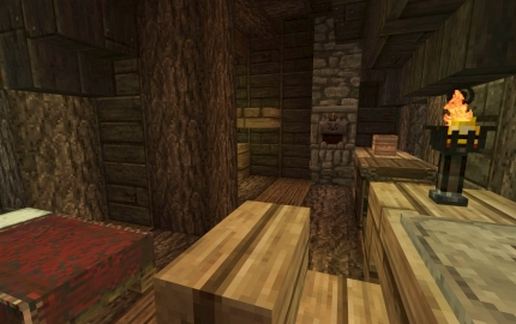
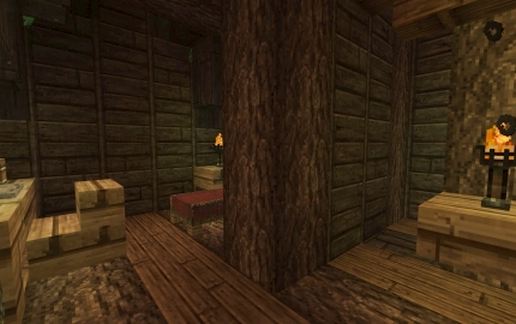
Description
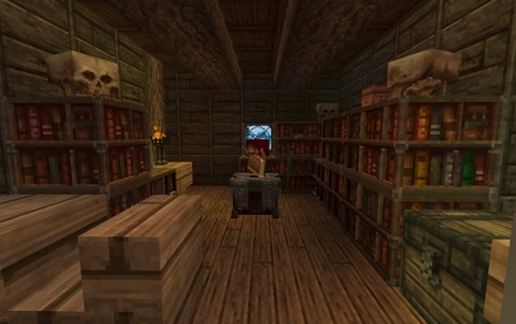
Small Floating Wizard's Cottage.
Resource Pack is Conquest.
There are two command blocks in the build. For them to work you need to break the pressure plate and covering block and enter the following:
In the lower command block: /tp @p ~0 ~20 ~0
In the upper command block: /tp @p ~0 ~-20 ~0
Then replace the block and pressure plate and you will teleport up and down out of the house.
You are welcome to do with it what you want so long as I am credited for the original build.
Resource Pack is Conquest.
There are two command blocks in the build. For them to work you need to break the pressure plate and covering block and enter the following:
In the lower command block: /tp @p ~0 ~20 ~0
In the upper command block: /tp @p ~0 ~-20 ~0
Then replace the block and pressure plate and you will teleport up and down out of the house.
You are welcome to do with it what you want so long as I am credited for the original build.
Download: Floating Wizard's Cottage schematic for Minecraft
| Format | Size | Use with | |
|---|---|---|---|
.litematic floating-wizard's-cottage.litematic |
51.96 KB | Litematica (Java) — more Litematica schematics |
|
.schem floating-wizard's-cottage.schem |
2.40 KB | WorldEdit / FAWE |
|
.schematic floating-wizard's-cottage.schematic |
2.76 KB | Legacy / online installer |
|
| Install this build directly on your Minecraft map |
|
||
Auto-converted from the original format; container contents (chests, signs) may be missing.
📘 How to use with Litematica (click to expand)
- Put the downloaded
.litematicfile into the.minecraft/schematics/folder. - In game, press M to open the Litematica menu and choose Load Schematics.
- Select the file in the list and click Load Schematic.
- Position the placement where you want it and build — or paste it instantly in creative with Easy Place mode.
Requires the Litematica mod (Java Edition).
More builds: Litematica schematics.
Comments
Similar