NCC-1701 Enterprise
Published on January 1, 2023
By if62668
👁️🗨️ 178
114
★
★
★
★
★
Rate it
Screenshots
Description
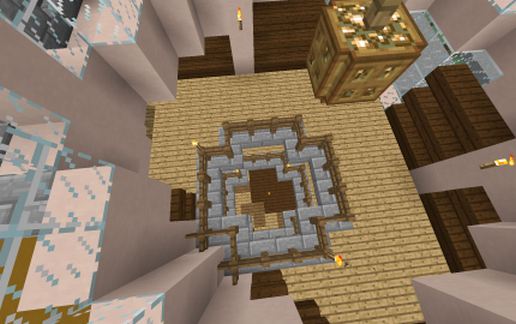
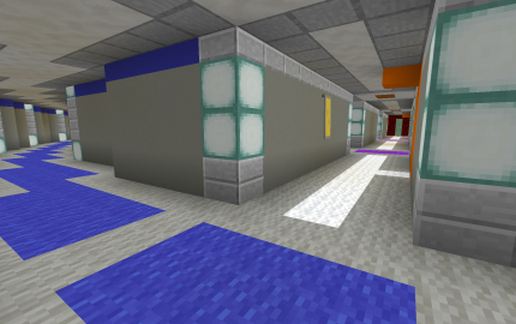
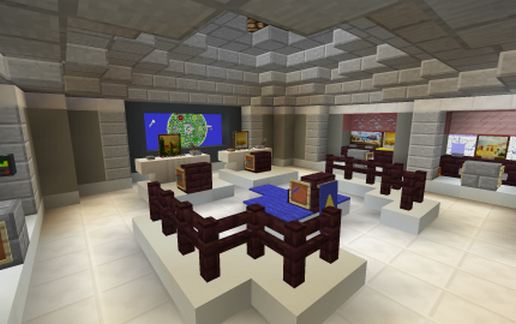
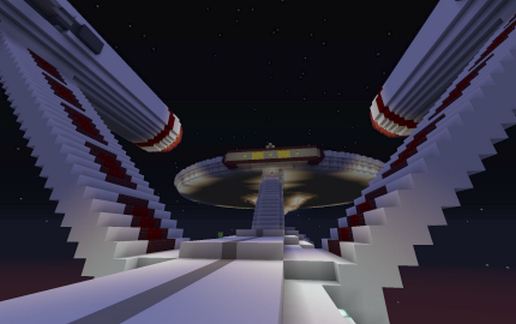
This is the NCC-1701 USS Enterprisebuild I am doing on a community survival server. The exterior is 99%. But there is a LOT of internal work to do; many cabins, med bays, etc...
The build is 1:1 scale
286 blocks long
131block diameter saucer section
71 blocks high from top of saucer to base of hull
Built in near vanilla Survival on the community server I play on (not owned by me). It is small, quiet, but very friendly server, enhanced vanilla (e.g. mob griefing is disabled), but all blocks are mined/crafted by the player, and there is no flying, so this has been a bit challenging (a) to build in the air and (b) to get all the concrete I have used so far.
Server Name: Cubic Worlds
Server Address: play.cubicworlds.net
Website: http://cubicworlds.net/
Some points to be aware of:
1. As mentioned, much of the interior needs decoration; I will post an updated schematic a few months down the line as it becomes more complete.
2. The schematic was created using WorldEdit, and for some reason, no entities (such as item frames/maps, paintings, armour stands) have been saved. So where I used these as decoration it is missing.
3. You can import this to your world using MCEdit; if you are using WorldEdit, the following information may be useful;
The "anchor point" (that is, the place where the schematic is built from when it is pasted) was taken while standing on the top northwest corner of the ship's bounding box.
Size is 286X / 71Y / 131Z blocks.
So if you're standing somewhere ready to paste it - first, face east, then you'd need 285 blocks free ahead of you, 71 below you, and 130 to your right for it to fit cleanly.
The build is 1:1 scale
286 blocks long
131block diameter saucer section
71 blocks high from top of saucer to base of hull
Built in near vanilla Survival on the community server I play on (not owned by me). It is small, quiet, but very friendly server, enhanced vanilla (e.g. mob griefing is disabled), but all blocks are mined/crafted by the player, and there is no flying, so this has been a bit challenging (a) to build in the air and (b) to get all the concrete I have used so far.
Server Name: Cubic Worlds
Server Address: play.cubicworlds.net
Website: http://cubicworlds.net/
Some points to be aware of:
1. As mentioned, much of the interior needs decoration; I will post an updated schematic a few months down the line as it becomes more complete.
2. The schematic was created using WorldEdit, and for some reason, no entities (such as item frames/maps, paintings, armour stands) have been saved. So where I used these as decoration it is missing.
3. You can import this to your world using MCEdit; if you are using WorldEdit, the following information may be useful;
The "anchor point" (that is, the place where the schematic is built from when it is pasted) was taken while standing on the top northwest corner of the ship's bounding box.
Size is 286X / 71Y / 131Z blocks.
So if you're standing somewhere ready to paste it - first, face east, then you'd need 285 blocks free ahead of you, 71 below you, and 130 to your right for it to fit cleanly.
Download: NCC-1701 Enterprise schematic for Minecraft
| Format | Size | Use with | |
|---|---|---|---|
.litematic ncc-1701-enterprise.litematic |
135.74 KB | Litematica (Java) — more Litematica schematics |
|
.schem ncc-1701-enterprise.schem |
37.82 KB | WorldEdit / FAWE |
|
.schematic ncc-1701-enterprise.schematic |
72.19 KB | Legacy / online installer |
|
| Install this build directly on your Minecraft map |
|
||
Auto-converted from the original format; container contents (chests, signs) may be missing.
📘 How to use with Litematica (click to expand)
- Put the downloaded
.litematicfile into the.minecraft/schematics/folder. - In game, press M to open the Litematica menu and choose Load Schematics.
- Select the file in the list and click Load Schematic.
- Position the placement where you want it and build — or paste it instantly in creative with Easy Place mode.
Requires the Litematica mod (Java Edition).
More builds: Litematica schematics.
Comments
Similar